

Case Studies
What we built, how we built it, and verified results where we have them.
Let'em Know
Premium agency site with GSAP animations & smooth scroll.

Client
Let'em Know — Gurgaon-based marketing agency
Timeline
4 weeks
Role
Full-stack development, animation engineering
The Problem
The project focused on building a modern, responsive marketing website with richer visual interactions and a clearer path from browsing to booking a call.
The Solution
Built a modern agency site with a focus on motion, scroll-driven storytelling, and a booking flow integrated directly into the page.
Key Features
Tech Stack
If this looks like what you need…
Explore Landing Page DesignHabit Flow
Build habits. Track streaks. Stay consistent.

Category
SaaS
Timeline
3 weeks (MVP)
Role
Full-stack development, product strategy
The Problem
The project required a production-ready MVP with authentication, persistent data, analytics, and a clean dashboard — shipped quickly enough to test with real users and validate the concept. Habit tracking is a daily-use product: if checking in takes more than a few seconds on a phone, or a streak resets because of a bug, users stop coming back. The MVP therefore had to be fast and reliable on mobile from day one, keep streak logic consistent across devices, and give users enough feedback — progress, streaks, and reminders — to make the habit stick, all within a three-week build.
The Solution
Shipped the core loop first — create habit, check in, track streak — then layered analytics, reminders, and polish on top. Streak tracking and check-in validation run on the server, so a streak is calculated the same way on every device and cannot drift on the client. Stateless JWT authentication lets users move between phone and desktop without server-side sessions. Weekly analytics are computed from stored habit data when the dashboard loads, which kept the data model simple for the MVP. The dashboard was designed mobile-first, because most check-ins happen on a phone.
Key Features
Tech Stack
If this looks like what you need…
Explore SaaS DevelopmentMegaBlog
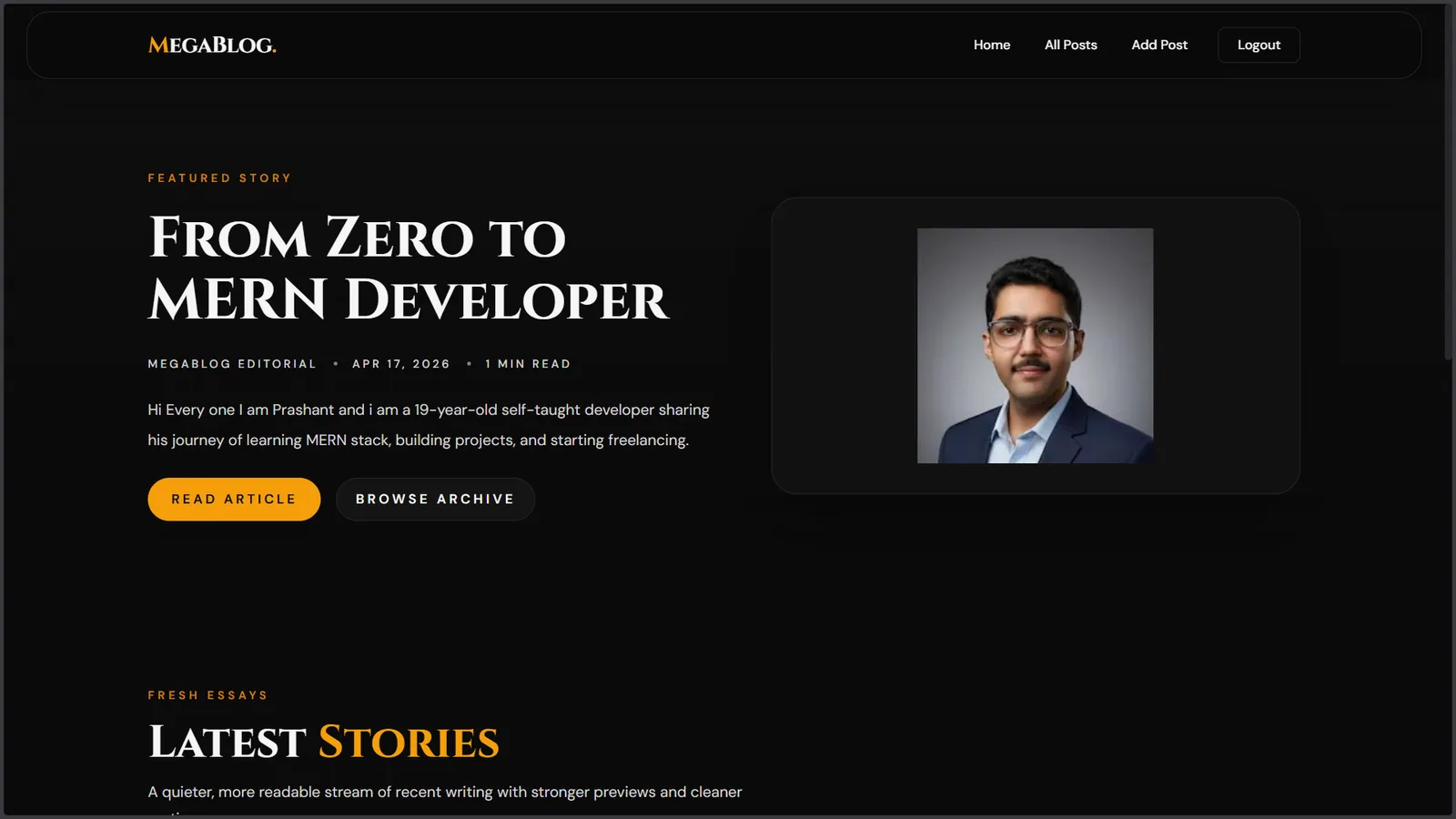
A dark editorial blogging platform.
Category
Web App
Timeline
5 weeks
Role
Full-stack development, UI/UX design
The Problem
The project required a fast, minimal editorial platform where writers could publish posts quickly — with a rich text editor, image support, and a clean writing environment.
The Solution
Built a purpose-fit editorial platform: rich text editing with TinyMCE, Appwrite backend for auth and storage, Redux Toolkit for state management. The focus was on making the publish flow as fast as possible.
Key Features
Tech Stack
If this looks like what you need…
Explore Web Application DevelopmentMobile Preview Simulator
Preview responsive mobile screens directly inside VS Code.
Category
Internal product
Timeline
1 week
Role
VS Code extension development
The Problem
Frontend developers switch between editor and browser to test responsive layouts. This project aimed to bring mobile preview directly into the editor to reduce that context switching.
The Solution
Built a VS Code extension using the Webview API — embed a mobile-sized viewport directly in the editor sidebar. Keep it lightweight and require no configuration.
Key Features
1,000+
Installs
VS Code Marketplace
Tech Stack
If this looks like what you need…
Explore Custom Software Development